New in v2026.11.27 Pane browser tabs, history search, native web engine, and tab activity

Run Claude Code, Codex, OpenCode and Gemini side by side

See at a glance which agent is working and which one is waiting for you. RexIDE keeps every session open in one window, grouped by repository, with a browser, its diff and its pull request right beside it.

macOS (Apple Silicon) today. Windows and Linux coming soon.

Tried RexIDE? Share your feedback.

Every message is read by the person building it. Or get an email when a release ships.

Release notes

What changed in the latest version.

We build RexIDE in RexIDE.

v2026.11.27

Latest
Nov 27, 2026
  • Each pane has a button that opens a new browser tab, and the first click in the address bar selects the address
  • The browser address bar suggests pages from each profile's own history, matching page titles as well as addresses
  • On supported Macs, browser panes now use the native macOS web engine
  • Pane tabs now show when there is activity in a tab you are not viewing
What it does

The agent and your app, side by side

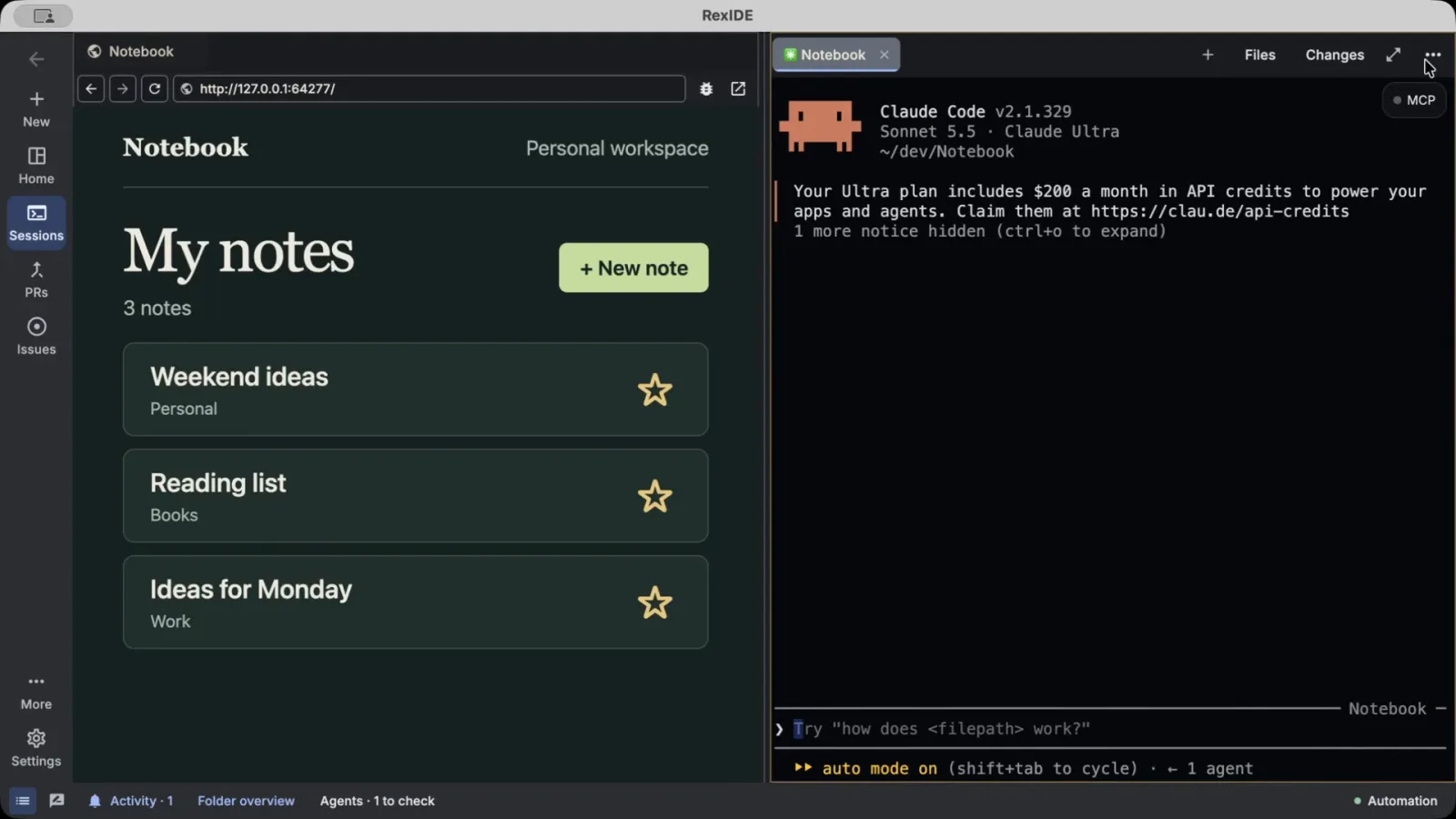
Open your local server, docs or a chat in a browser tab next to the agent's terminal. Pages keep their state when you switch sessions, so you can check a fix the moment the agent finishes.

RexIDE with a notes web app open in a browser tab on the left and Claude Code running in a terminal on the right

Review the change next to the agent that made it

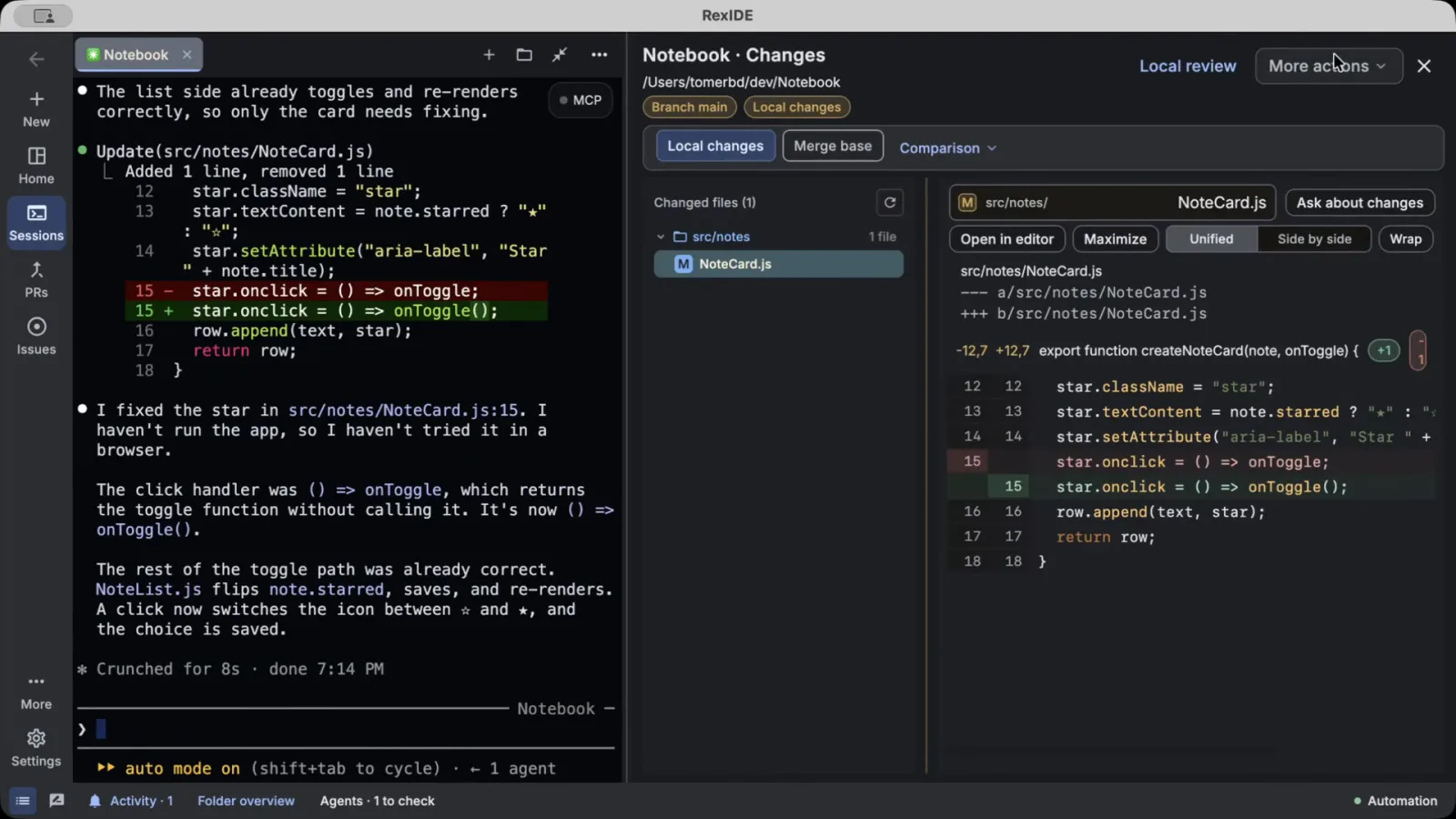
Changes opens the diff beside the session: changed files in a folder tree, unified or split view, and F7 to step from one change to the next. No switching to another app to see what the agent did.

See an example code review

Open Review with ChatGPT in a pull request to discuss the diff and check a change against your coding standards.

DevX review example for a fictional notes app
CheckReviewer’s finding
Duplicate logicThe rename dialog repeats the blank-title check. Reuse the validator from Create note.
ResponsibilityThe dialog edits the title. The existing save function writes it to disk.
Regression coverageThe test checks the new title on screen. Reopen the note and check that the title was saved.
Claude Code's explanation of a one-line fix on the left, and the Changes view on the right showing the same diff in NoteCard.js

Talk to any terminal

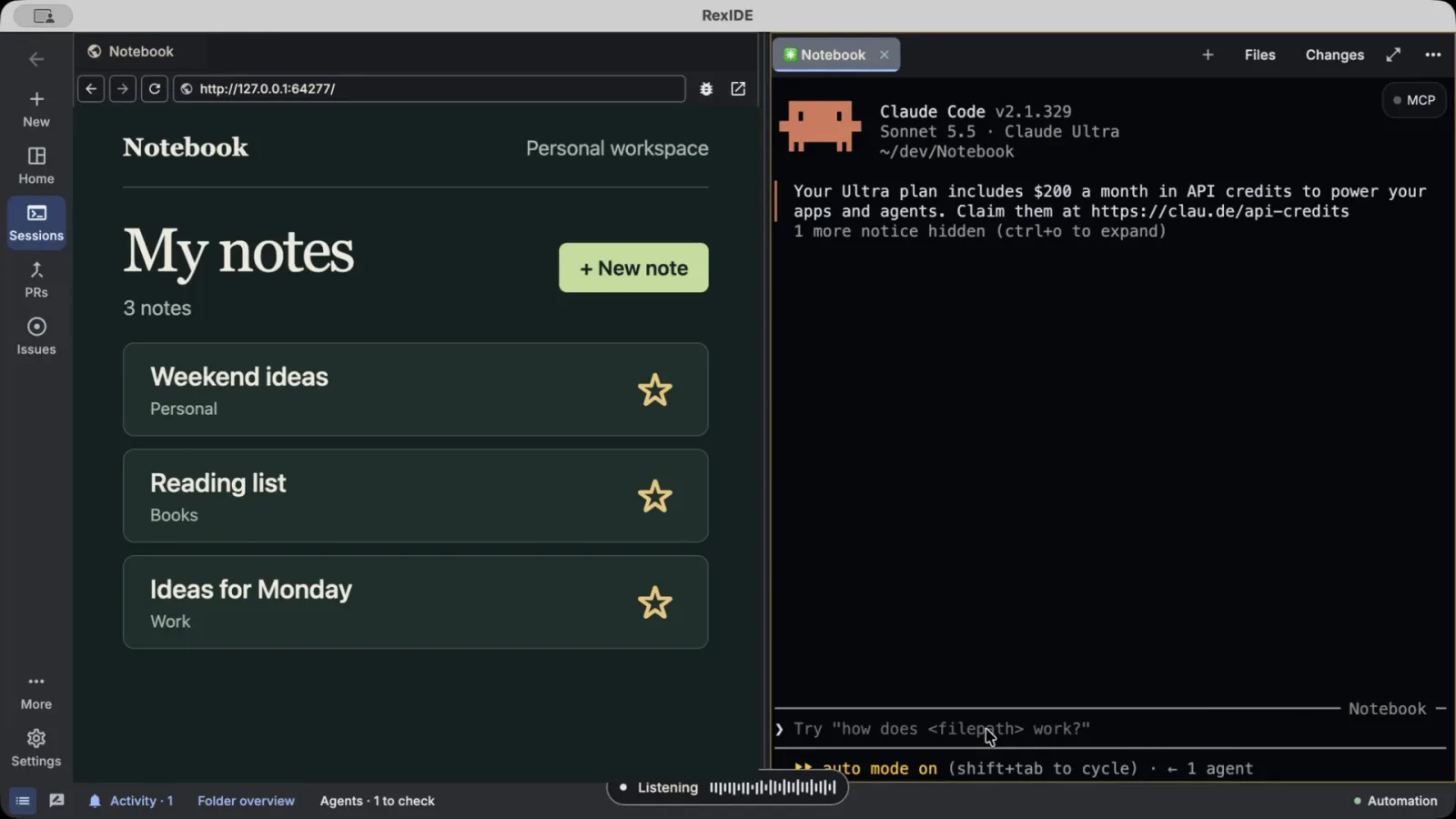
Press ⌥⇧Space, say what you want, and press it again. RexIDE types what you said into the terminal you are working in, whichever agent runs there. It works from other apps too while RexIDE is open.

RexIDE listening for dictation, with a Listening indicator at the bottom of the window

Jump to any file

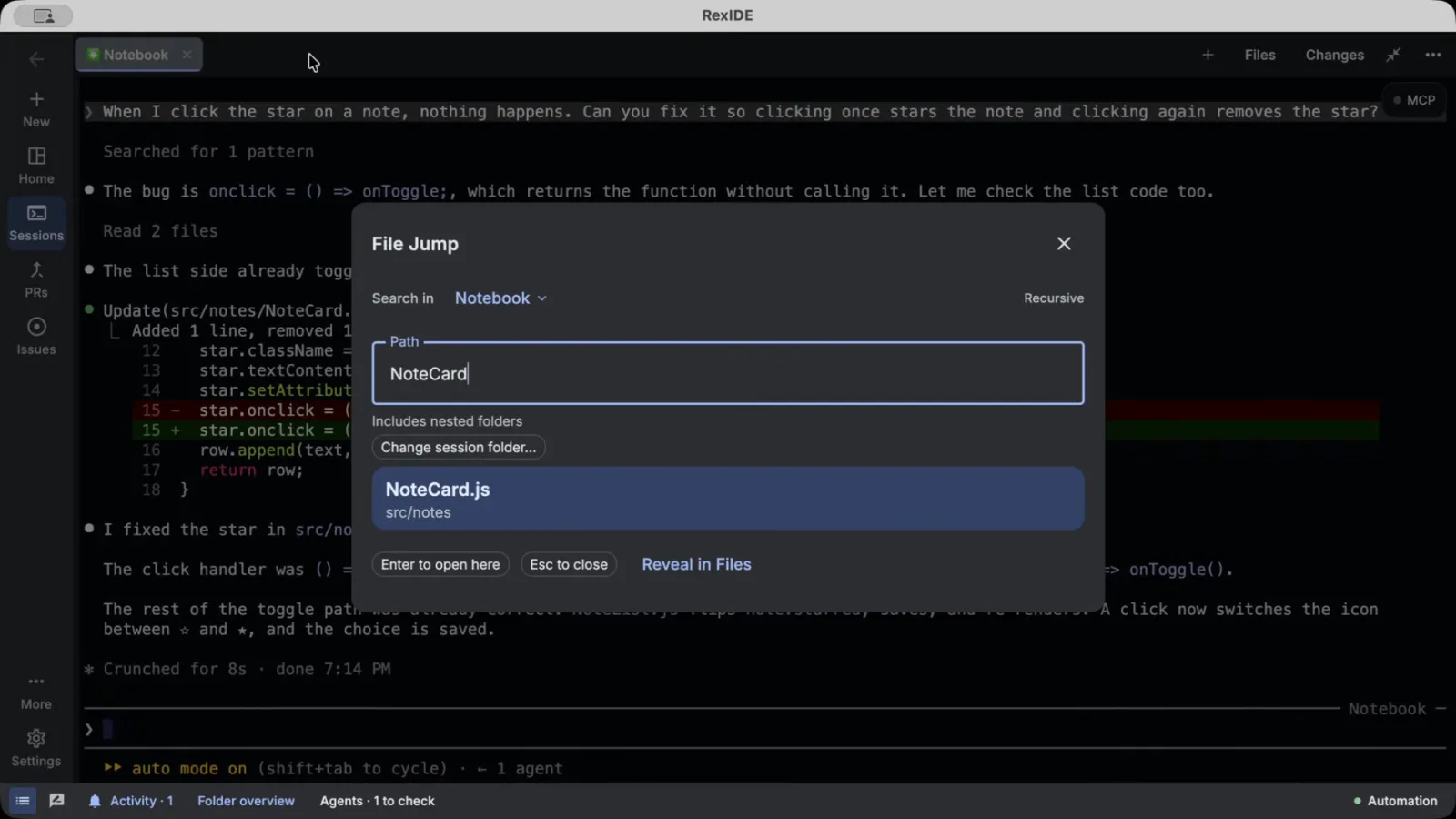
⌘P finds a file in the session's folder by name. Open it in place, or reveal it in the file tree beside the agent.

The File Jump dialog over a Claude Code session, with NoteCard.js matched for the search NoteCard

Every session in one list

Sessions are grouped by repository. Each row shows its branch and pull request, and whether the agent is working or has paused and may need you, even for an agent you started by hand in a plain terminal.

Pull request review

See your pull requests across repositories, including stacked ones. A guided walkthrough shows each changed function with its callers, and you can comment and reply to review threads in place.

CI and deploys in view

Home shows GitHub Actions runs and the latest deploy for each environment in the repositories you have open, and RexIDE tells you when a deploy starts and finishes.

Questions

Which agents does it work with?

Claude Code, Codex, OpenCode and Gemini CLI, plus anything else that runs in a terminal. RexIDE also recognizes an agent you start by hand in a plain terminal tab.

Does RexIDE send my code anywhere?

No. Your sessions run in terminals on your Mac, and your agents talk to their own providers as they always do. RexIDE sends anonymous usage events, such as "app started" or "session opened with Codex", with a random ID, the app version and the macOS version. It never sends code, terminal output or file paths. You can turn analytics off in Settings. Feedback you send from the app includes your message and, if you give it, your email.

What do I need?

A Mac with Apple Silicon, and the agents you want to use installed. The pull request, CI and deploy views use the GitHub CLI, so sign in with gh auth login to use them.

Does it cost anything?

RexIDE is a preview, and founding users get free access during the preview period.

Windows or Linux?

Coming soon. Get updates to hear when they ship.

Download

RexIDE ships as a signed macOS preview build. Founding users get free access during the preview period.

macOS preview

RexIDE for macOS

Preview build. Signed and notarized.

Version 2026.11.2703
Target macOS (Apple Silicon)
File RexIDE-macOS.tgz
Download macOS

Windows and Linux are coming soon

RexIDE is macOS only for now. Sign up for product updates to hear when Windows and Linux builds ship.